

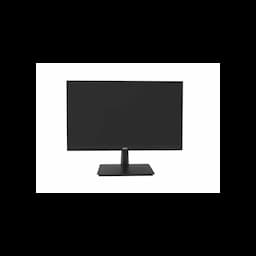
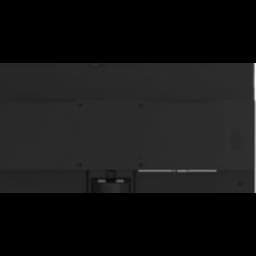
Specifications
General
Brand
Acer
Model Name
EV227Q
Brightness
250 cd/m²
Colour
Black
Product Type
Monitors
Response Time
5 ms
Whats In The Box
Monitor, HDMI Cable, Power Cable
Display
Resolution
Full HD (1920 × 1080)
Product Manuals
Description
Product Details
- Boost your inventory with the Acer ZR.M01SI.00M TFT EV227Q 21.5" Monitor, designed for bulk purchasing by wholesalers.
- Offer your clients sharp visuals on a vibrant 21.5-inch TFT display, enhancing user experience and satisfaction.
- The inclusion of HDMI connectivity ensures broad compatibility with a wide range of modern devices, increasing its appeal to end-users.
- With a focus on reliability, this Acer monitor is built to meet the demands of high-volume sales and commercial deployments.
- Expand your product portfolio with a reputable brand like Acer, known for quality and performance in the monitor market.
- The sleek design of the EV227Q model makes it an attractive addition to any setup, appealing to a diverse customer base.
- The 21.5-inch screen size is ideal for various applications, from office productivity to everyday home use, broadening its market reach.
- Leverage the competitive wholesale pricing on the Acer EV227Q to drive sales and maximize profit margins for your distribution business.
FAQs
Frequently Asked Questions
The Acer EV227Q is ideal for wholesale as it offers bulk purchasing options, reliable performance, and broad compatibility, ensuring high demand and customer satisfaction.
Yes, the Acer ZR.M01SI.00M features HDMI connectivity, ensuring compatibility with a wide array of modern laptops, desktops, and other multimedia devices.
The Acer EV227Q utilizes TFT (Thin-Film Transistor) display technology, which is known for its efficiency and good visual performance.
Yes, the 21.5-inch screen size of the EV227Q offers a comfortable viewing experience for productivity tasks, making it a versatile choice for office or home office environments.
Wholesale pricing and bulk order information for the Acer EV227Q can be accessed by contacting Redington Online's sales team or through their online portal for registered resellers.
Yes, Price can be negotiated through the RFQ Process with Approvals. Click for Process