
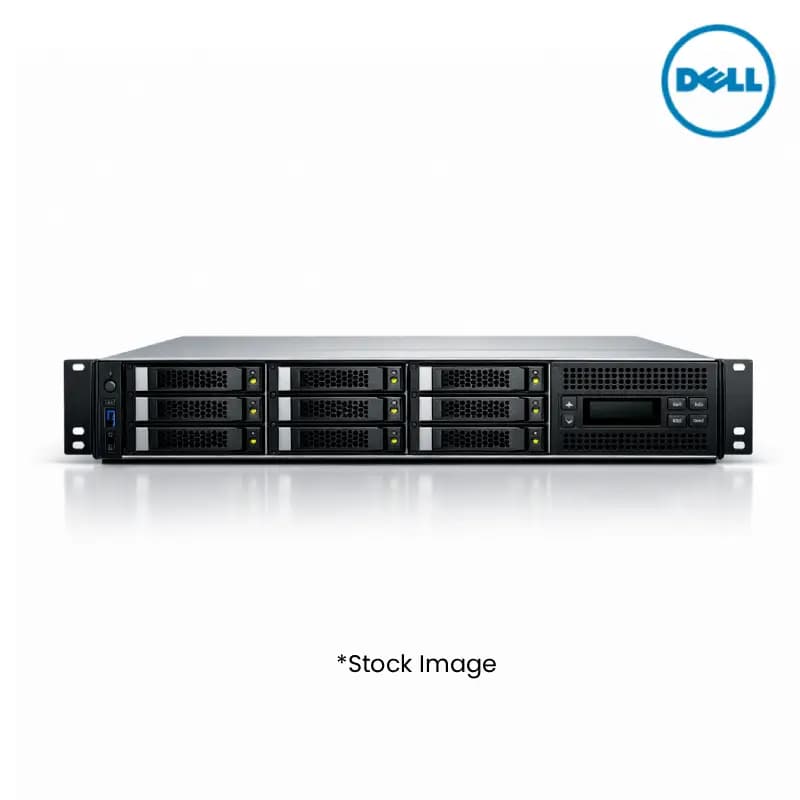
Dell R570 (16C) IX6P 6511P 4*32G 4*8T 2*4T SR Rack Server
Product Highlights
- Dell R570 Rack Server
- 16-Core Intel Xeon Power
- 128GB Memory (4x 32G)
- Massive Storage Capacity
- Scalable Rack Server Design
Specifications
General
Brand
Dell
Model Number
R570
Product Type
Rack Server
Processor
Processor
Xeon
Processor Brand
Intel
Processor Core
16-Core Processing Power
Memory
Storage
4x 8TB 2x 4TB
Memory
4x 32G
Product Manuals
Description
Product Details
- Maximize your inventory with the Dell R570 Rack Server, engineered for high-performance computing demands.
- Leverage the power of Intel Xeon 16-Core Processing Power for demanding applications and virtualized environments.
- Benefit from 4x 32GB memory modules, providing ample capacity for multitasking and complex workloads.
- Expand your storage capabilities with a robust configuration of 4x 8TB and 2x 4TB drives, ideal for large datasets.
- Ensure reliability and scalability for your clients with this versatile R570 Rack Server solution.
- Streamline operations with a compact rack-mountable design, optimizing data center space.
- Offer your customers cutting-edge technology with Dell's reputation for quality and innovation.
- Achieve competitive pricing for your B2B clients by stocking this in-demand server model.
FAQs
Frequently Asked Questions
The Dell R570 Rack Server features 16-Core Intel Xeon processing, 4x 32GB memory, and storage comprising 4x 8TB and 2x 4TB drives.
Yes, with its 16-Core Intel Xeon processor and substantial memory and storage, the Dell R570 is well-suited for demanding enterprise applications.
The storage configuration includes 4x 8TB drives and 2x 4TB drives, totaling significant storage capacity for your business needs.
While this model comes with 4x 32GB memory, specific expandability details should be confirmed with technical specifications or by contacting our sales team.
Purchasing in bulk allows for competitive wholesale pricing, ensuring higher profit margins for your distribution or resale business.
Yes, Price can be negotiated through the RFQ Process with Approvals. Click for Process