
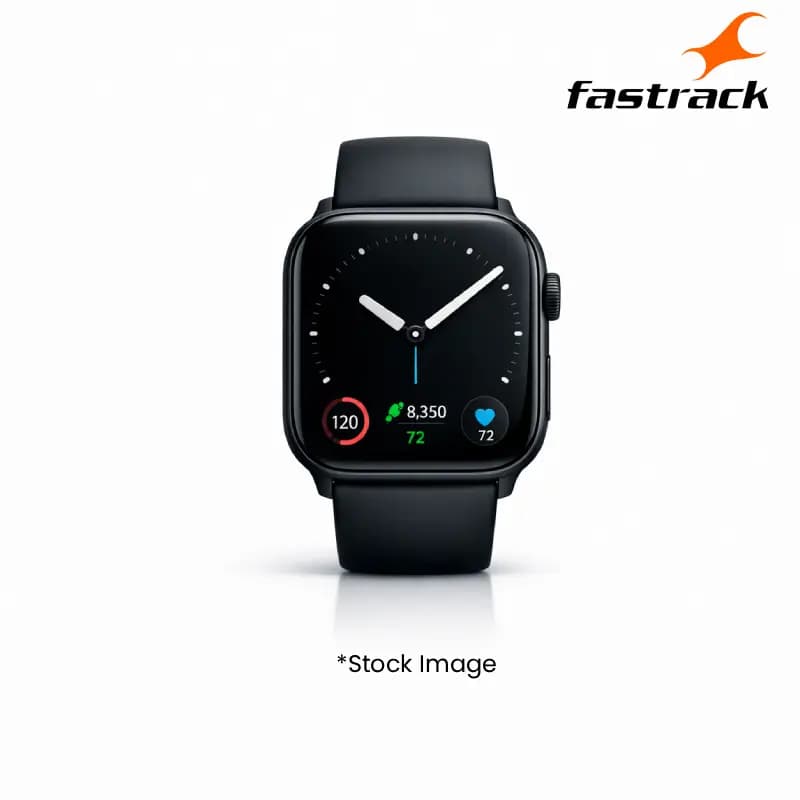
Fastrack 38123NM01 Radiant FX1 Black Metal Smart Watch
Product Highlights
- Fastrack Radiant FX1 Smart Watch
- Sleek Black Metal Design
- High Market Demand
- Advanced Smart Features
- Wholesale Ready
Specifications
General
Brand
Fastrack
Model Name
Radiant FX1
Colour
Black Metal
Product Type
Smart Watch
Product Manuals
Description
Product Details
- Elevate your inventory with the Fastrack Radiant FX1 Smart Watch, a high-demand product for your tech-savvy customer base.
- The sleek Black Metal design offers a premium aesthetic, appealing to a broad market segment and driving sales.
- Experience seamless integration with multiple devices, ensuring customer satisfaction and repeat business.
- Benefit from robust build quality, reducing returns and enhancing your reputation for reliable products.
- Capitalize on the growing popularity of smartwatches, a category known for its consistent market growth.
- Offer your customers advanced features that set this model apart, justifying premium reseller pricing.
- The 'Radiant FX1' model designation makes it easy to identify and reorder, streamlining your wholesale process.
- Secure a competitive edge by stocking a popular and feature-rich smartwatch from a trusted brand like Fastrack.
FAQs
Frequently Asked Questions
The Fastrack 38123NM01 Radiant FX1 Smart Watch features a Black Metal design and advanced smartwatch functionalities, perfect for tech enthusiasts.
The Fastrack Radiant FX1 Smart Watch is designed for broad compatibility, ensuring it connects seamlessly with most Android and iOS smartphones.
The Fastrack Radiant FX1 Smart Watch offers high market demand and a premium design, making it an attractive addition to any reseller's inventory.
Yes, the Fastrack Radiant FX1 Smart Watch includes comprehensive fitness tracking features to monitor daily activity and workouts.
Warranty details for wholesale purchases of the Fastrack Radiant FX1 Smart Watch can be found on our product pages or by contacting our sales team.
Yes, Price can be negotiated through the RFQ Process with Approvals. Click for Process