


HP
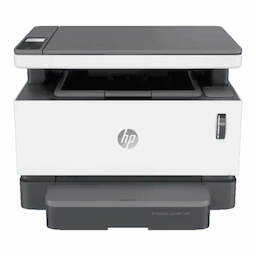
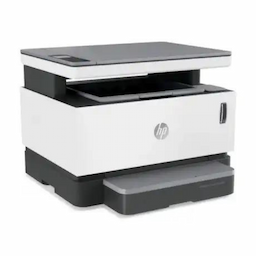
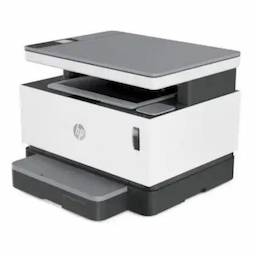
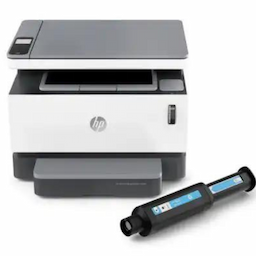
HP (4QD21A) Neverstop Laser MFP 1200a Printer
A4 Laser Printers
MPN:4QD21A
SKU:HPPRN1200A
Product Highlights
- HP (4QD21A) Neverstop Laser MFP 1200a Printer
Specifications
General
Brand
HP
Country Of Origin
China
Device Function
Multifunction
Gtm
Consumer
Pages Per Min
20 Pages
Product Type
A4 Laser Printers
Display
Page Size Supported
105 x 148.5 mm to 215.9 x 297 mm
Connectivity
Connectivity
Wire
Physical
Dimension
38.05 x 29.34 x 28.7
Weight
8.71 Kg
Product Manuals
No manuals available for this product
Description
Product Details
Duty Cycle (Monthly, Letter): Up to 20,000 pages|Functions: Print, copy, scan|Print Languages: PCLmS; URF; PWG|Paper Trays, Standard: 1 input tray|Print technology: Laser|Printer Management: HP Printer Assistant (UDC); HP Device Toolbox; HP Utility (Mac)|Top Key Features: Scan to PDF|Connectivity, Standard: Hi-Speed USB 2.0|Processor Speed: 500 MHz|Memory: 64 MB|Media Types: Plain paper, Heavy paper, Bond paper, Label, Light paper, Envelope|Minimum System Requirements For Macintosh: AppleOS X EI Capitan (v10.11) macOS Sierra (v10.12) macOS High Sierra, (v10.13); 1.5 GB HD; Internet required; USB|Software Included: For Windows OS: HP Software Installer, HP Software Uninstaller (exclude Win8+), HP PCLmS Printer Driver, HP Device Experience (DXP), HP Web Services Assist (HP Connected), Device Setup & Software, Online user manuals, HP Printer Assistant, HP Scan Driver, HP Scan Application, HP Product Improvement Study. For Mac OS: Welcome Screen, (Directs users to HP.com or OS App Source for LaserJet Software)|Print Quality Black (Normal): Up to 600 x 600 x 2 dpi|Copier Smart Software Features: ID Copy|Scanner Type: Flatbed|Copies, Maximum: Up to 99 copies|Copier Settings: Number of Copies; Lighter/Darker; Optimize; Paper