
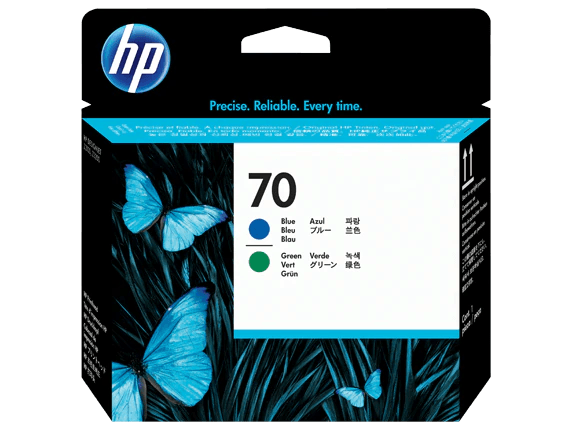
HP 70 Blue and Green DesignJet Printhead, C9408A
Product Highlights
- Exceptional print quality for vibrant colors.
- Reliable performance
- minimizing downtime.
- Genuine HP product
- ensuring compatibility.
- High market demand for increased sales.
- Optimized for bulk purchasing savings.
Specifications
General
Brand
HP
Colour
Light Cyan
Product Type
Printer Head
Product Manuals
Description
Product Details
- Maximize your profit margins with our bulk pricing on genuine HP 70 DesignJet Printheads.
- Ensure consistent, high-quality prints for your customers, boosting their satisfaction and your reputation.
- Streamline your inventory management with a reliable and in-demand product.
- Reduce downtime for your clients with these dependable printheads, leading to fewer service calls.
- Expand your product offerings with a popular item that complements existing printer sales.
- Offer your customers superior print quality with vibrant colors and sharp details.
- Gain a competitive edge by providing genuine HP products at competitive wholesale prices.
- Benefit from Redington Online's secure ordering and efficient logistics for timely deliveries.
FAQs
Frequently Asked Questions
The HP 70 DesignJet Printhead (C9408A) is designed for use with compatible HP DesignJet printers. Please refer to the printer's documentation or HP's website for a full list of compatible models.
The lifespan of the printhead depends on usage patterns and printer maintenance. However, it is designed for reliable performance over an extended period.
Replace the printhead when print quality degrades noticeably or when prompted by the printer's maintenance system. Regular cleaning can extend its lifespan.
Redington Online primarily focuses on product distribution. Installation support is typically provided by HP or qualified printer technicians.
Bulk purchasing allows you to secure lower prices, ensuring higher profit margins while providing your customers with reliable, high-quality printing solutions.
Yes, Price can be negotiated through the RFQ Process with Approvals. Click for Process