
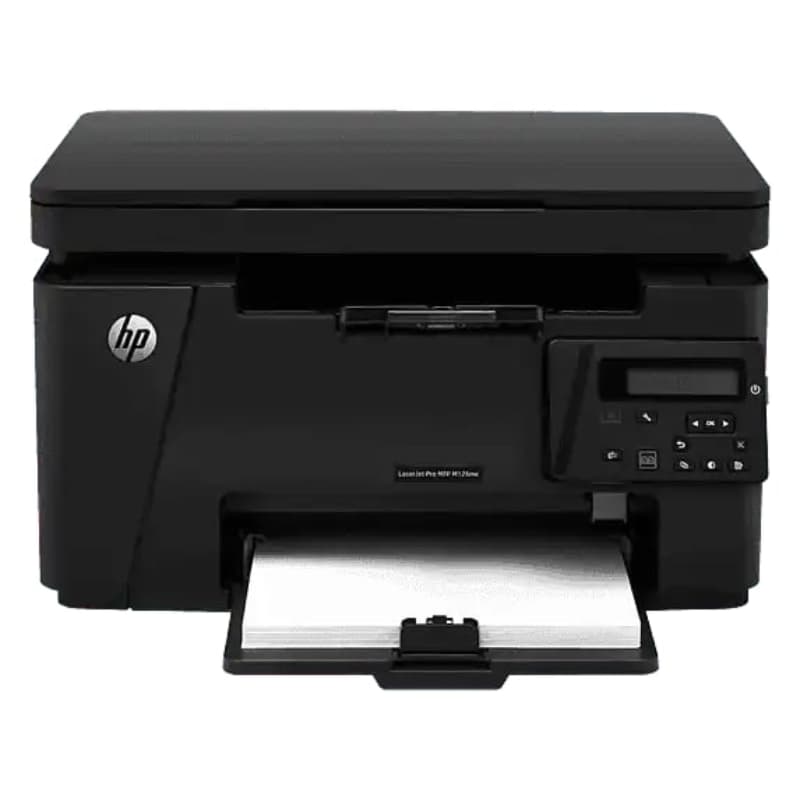
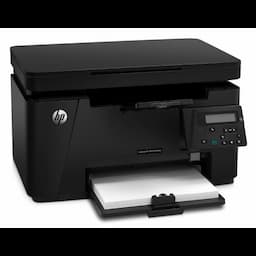
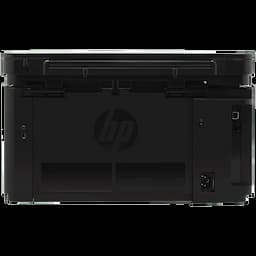
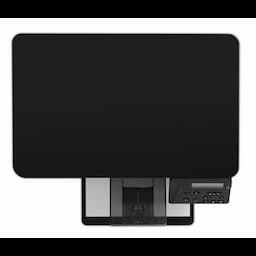
HP LaserJet Pro (CZ175A) MFP M126nw, Print scan and copy
Product Highlights
- HP LaserJet Pro (CZ175A) MFP M126nw
- Print scan and copy
Specifications
General
Model Name
HP LJ PRO100 M126NW MFP PRINTER
Model Number
CZ175A
Warranty
One year onsite warranty
Cable
Yes, 1 USB
Colour
Black
Compatible With
Full software installs supported on: Windows 10 (32-bit/64-bit),Windows 8 (32-bit/64-bit),Windows 7 (32-bit/64-bit),Windows Vista (32-bit/64-bit),Windows XP (32-bit) (SP2 or higher); Driver only installs supported on: Windows Server 2012; Windows Server 2008 (32-bit),Windows Server 2008 (Standard Edition)
Control Panel
2 line LCD; 13 buttons (Up, Down, OK, Cancel, Back, Setup, Number of Copy, Dark/Light, Mono copy, Copy Menu, ePrint, Wireless, Power ); 4 LED indicator lights (Attention, Ready, Power, wireless)
Country Of Origin
China
Device Function
Multifunction
Duty Cycle
Up to 8000 pages
Energy Star
Yes
Envelope
Up to 10 envelopes
First Page Out Black
As fast as 9.5 sec
First Page Out Colour
Not Applicable
Grayscale
256
Gtm
Consumer
Mac Compatible
Yes
Mobile Printing Capability
Wireless Direct Printing
Monthly Duty Cycle
Up to 8000 pages
No Of Print Cartridges
1 (black)
Number Of Users
1-5 Users
Plug And Play
Auto Wireless Connect
Print Language
PCLm/PCLmS
Print Quality Black
Up to 600 x 400 dpi
Print Technology
Laser
Product Type
A4 Laser Printers
Recommended Monthly Volume
HP recommends that the number of pages per month of imaged output be within the stated range for optimum device performance, based on factors including supplies replacement intervals and device life over an extended warranty period.
Replacement Cartridges
HP 88A Black LaserJet Toner Cartridge (~1500 yield) CC388A
Scan File Format
PDF; TIF; BMP; PNG; JPG
Scan Technology
Contact Image Sensor (CIS)
Scanner Type
Flatbed
Security Management
Password-protected network embedded Web server; 802.11: WEP, WPA, WPA2; SNMPv1 community password change
Software Included
Windows: HP Installer/Uninstaller, HP PCLmS print driver, HP WIA Scan Driver, HP TWAIN Scan Driver, HP Scan, Status Alerts, HP Update, DXP; Mac: HP Installer/Uninstaller, HP PCLmS Print Driver, HP Scan, HP Setup Assistant, HP Utility, HP Alerts, HP Firmware Updater
System Requirements
Windows 10 (32-bit/64-bit), Windows 8 (32-bit/64-bit), Windows 7 (32-bit/64-bit), Windows Vista (32-bit/64-bit), Windows XP (32-bit) (SP2 or higher); 200 MB available hard disk space required (CD and Web Package); 400 MB available hard disk space required; 512 MB RAM installed; CD-ROM/DVD or Internet; USB or Network port
Total Print Volume
Prints up to 2,000 pages/month
Whats In The Box
HP LaserJet Pro MFP M126nw; Preinstalled introductory HP LaserJet Black Cartridge (~700 pages); Installation guide; Getting Started guide; User's Guide; Support flyer; Warranty guide; Printer software and documentation on CD; Power cord; USB cable
Processor
Max Copying Speed
Up to 20 cpm
Print Speed
21 - 30
Processor Speed
600 MHz
Scan Speed
Up to 7 ppm (b&w), up to 5 ppm (color)
Memory
Input Capacity
Up to 150 sheets
Output Capacity
Up to 100 sheets
Display
Display Features
2-line LCD (text)
Media Size
Letter; Legal; Executive; A4; A5; B5-Japanese; envelopes (ISO DL, C5, B5, Com #10, Monarch #7 3/4); 16K; post cards (Standard #10, JIS single and double); 76 x 127 to 216 x 356 mm
Media Size Supported
A4; A5; B5-Japanese; envelopes (ISO DL, C5, B5, Com #10, Monarch #7 3/4); 16K; post cards (Standard #10, JIS single and double)
Scan Resolution
Up to 1200 x 1200 dpi
Scan Size
216 x 297 mm
Connectivity
Connectivity
USB, Wireless direct printing
Connectivity Standard
1 Hi-Speed USB 2.0; 1 Fast Ethernet 10/100Base-TX; 1 WiFi 802.11b/g/n
Ports
Finished Output Handle
Sheetfed
Paper Handling Input Standard
150-sheet input tray
Paper Handling Output Standard
100-sheet face-down bin
Ports
1 Hi-Speed USB 2.0; 1 Fast Ethernet 10/100Base-TX; 1 Wireless 802.11b/g/n
Scan Input Mode
Solution Center Lite (Windows Vista, Windows XP) or Device Stage (Windows 7, Windows 8); TWAIN-compliant or WIA-compliant software
Power
Power
Input voltage: 110 to 127 VAC (+/- 12%), 60 Hz (+/- 3 Hz); Input voltage: 220 to 240 VAC (+/- 12%), 50/60 Hz (+/- 3 Hz) (Not dual voltage, power supply varies by part number with # Option code identifier)
Power Supply Type
Built-in power supply
Physical
Bit Depth
24-bit
Weight
8.0 kg
Operating System
System Requirement Macintosh
Mac OSX v 10.6; PowerPC G4, G5, or Intel Core Processor; 500 MB available hard disk space; CD-ROM/DVD-ROM or Internet; USB or Network port
Product Manuals
Description
Product Details
FAQs
Frequently Asked Questions
Placing a bulk order is easy. Log in to your Redington Online account, search for "Dell INDLati3420N3-6 laptops," specify your desired quantity, and proceed with the straightforward checkout process.
Certainly! Redington Online offers 24/7 customer support to assist with any inquiries or concerns related to your bulk order, ensuring a smooth purchasing experience.
Redington Online prioritizes swift delivery. Your bulk order of Dell INDLati3420N3-6 laptops will be promptly delivered to your specified location, minimizing any delays.
Absolutely! Redington Online provides the convenience of instant price negotiation on bulk orders, allowing you to secure competitive pricing tailored to your needs.
Yes, we understand the importance of financial flexibility for businesses. Contact our support team to explore credit options designed to accommodate your bulk purchases of Dell INDLati3420N3-6 laptops. Elevate your business operations with the Dell INDLati3420N3-6 laptop. Purchase in bulk from Redington Online and enjoy the benefits of quick delivery, exceptional support, and cost-effective pricing. Order now to enhance your business productivity!