

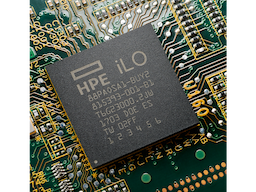
HPE BD505A iLO Advanced 1-server License with 3yr Support on iLO Licensed Features
Product Highlights
- Remote management
- 3-Year support
- Enhanced security
- Easy management
Specifications
General
Brand
HPE
Model Number
BD505A
Country Of Origin
Singapore
License
Three-year HPE iLO Advanced support license for one server
Product Type
Server Components
Product Manuals
Description
Product Details
- Maximize your profit margins with bulk discounts on HPE BD505A iLO Advanced licenses, perfect for equipping your server deployments.
- Enhance your service offerings with advanced iLO features, enabling remote management and monitoring for increased customer satisfaction.
- Streamline your deployment process with easy license activation and management, saving you valuable time and resources.
- Ensure business continuity with comprehensive 3-year support, minimizing downtime and maximizing your clients' ROI.
- Offer your clients enhanced security features with iLO Advanced, protecting their valuable data and infrastructure.
- Boost your reputation as a trusted provider by offering premium HPE server accessories.
- Gain a competitive edge by offering comprehensive server management solutions with iLO Advanced licenses.
- Simplify your inventory management with bulk purchasing options, ensuring you always have the licenses you need.
FAQs
Frequently Asked Questions
iLO Advanced provides enhanced remote management, monitoring, and security features for HPE servers, enabling efficient administration and increased uptime.
Compatibility varies. Please check the HPE QuickSpecs for BD505A to confirm compatibility with your specific server models.
Bulk purchasing offers significant cost savings and ensures you have ample inventory to meet customer demand.
The 3-year support provides access to HPE technical resources, firmware updates, and software patches, ensuring optimal performance and reliability.
License activation is simple and straightforward. Detailed instructions are provided with the product documentation.
Yes, Price can be negotiated through the RFQ Process with Approvals. Click for Process