Partner guide · 4 min read
Your vendor's special price, already on your account.
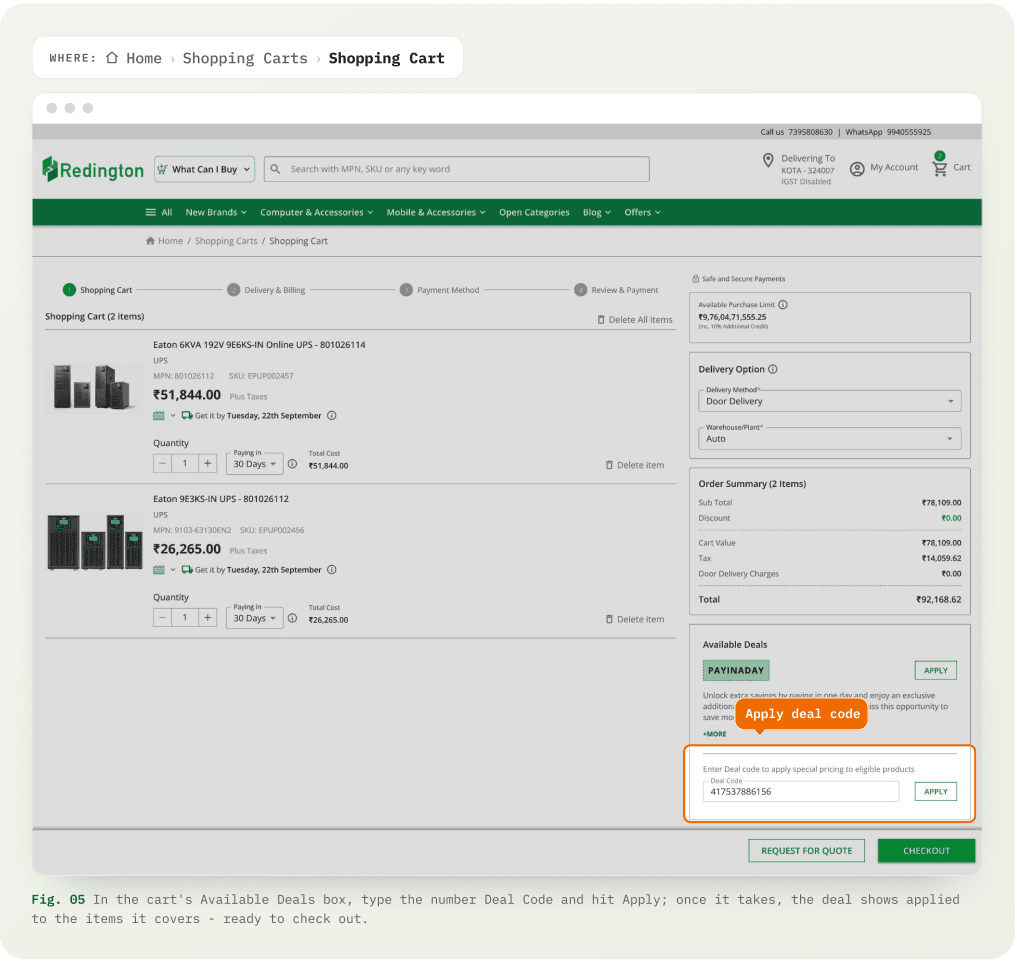
Open Deals are the special price that are available for specific Products to specific Partners. View the available deals mapped with your account under the "Open Deals" page. Products can be purchased in deal price by applying the deal code.
An Open Deal is a vendor-approved deal created specifically for your account
Vendors create special price contracts with your account - a billing price on specific products. On the Digital platform, each one appears under Open Deals
Open a deal to see what's inside
Your active deals are live under Open Deals in your account menu. Each row is a Deal Code with its end customer mapped to it. Expand a row to see the eligible products and the deal details.
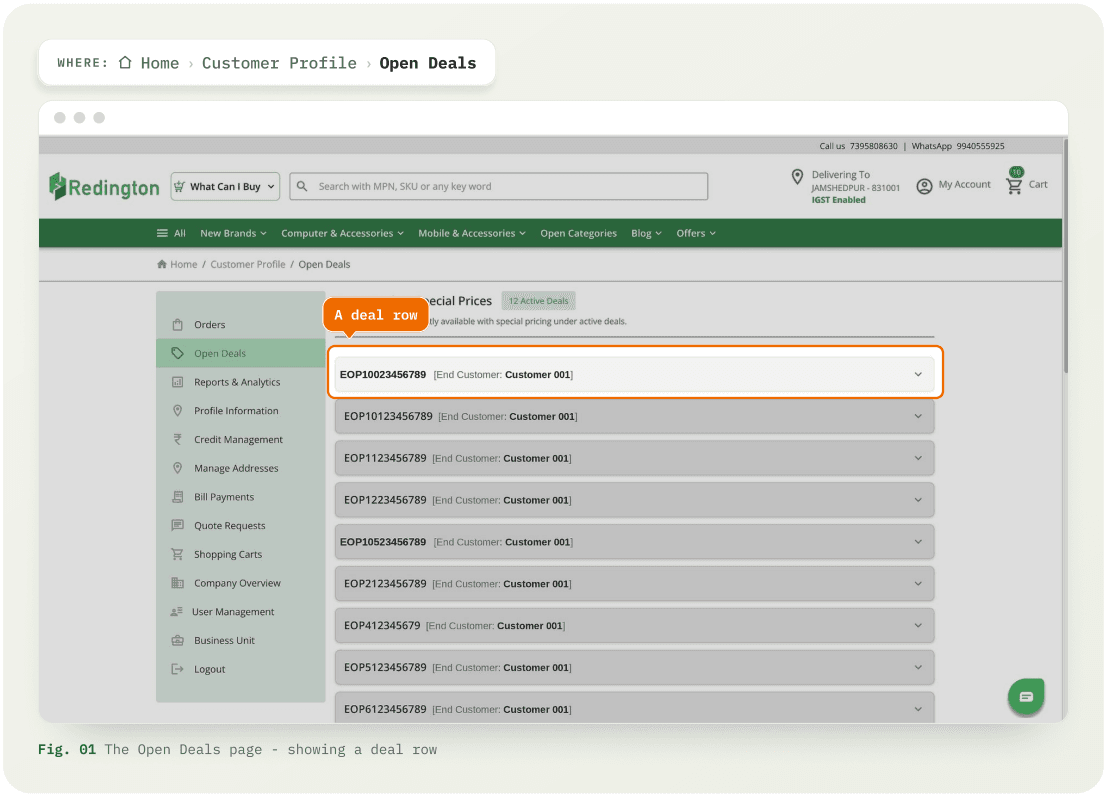
Expand a deal and select your products
Open a deal to view the products listed in the deal and deal details. Select the required products from the list and then Click Move to Cart. Products listed within the deal can be searched with MPN, SKU values.
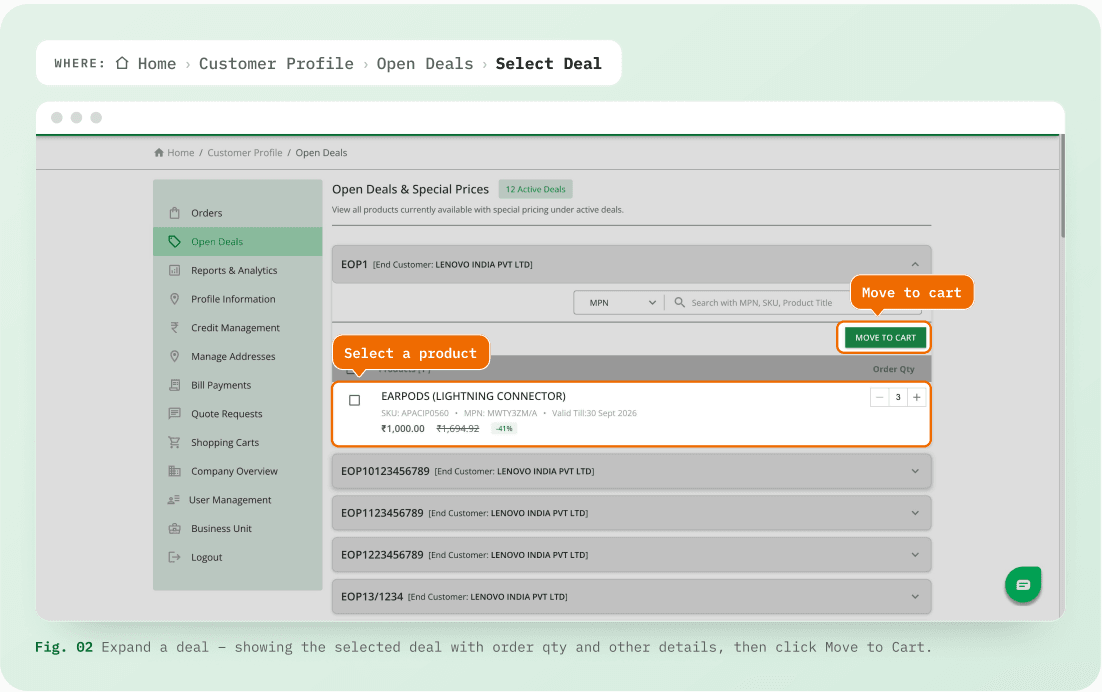
Choose the desired cart
Here there are two options to choose where the selected products land – either select a New Cart or select an existing one. The existing carts are grouped under Carts with Other Deals.
Checkout the order in deal price
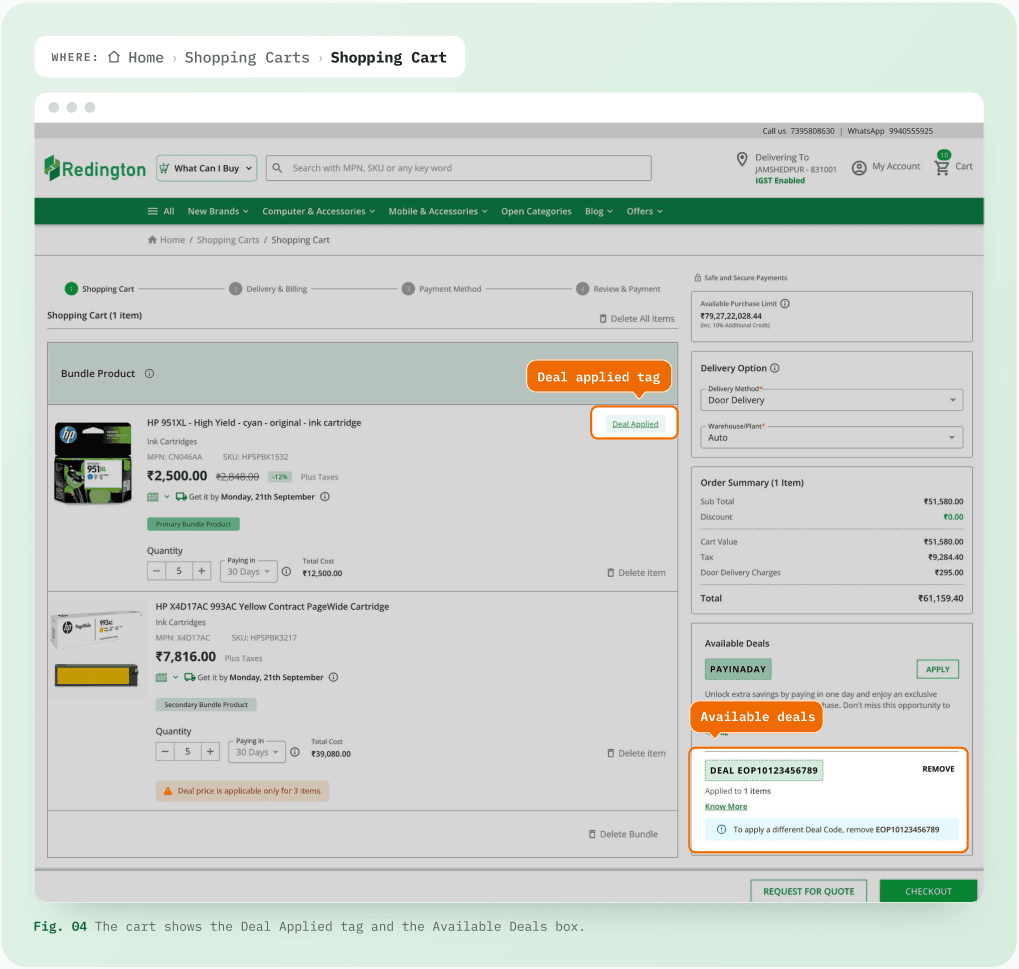
In the cart, each product that is applied with deal price is marked with Deal Applied tag. The deals section in the right pane of the cart displays the selected Deal ID and the number of products in the cart that is applied with the deal. The deal price will be effected at order checkout.
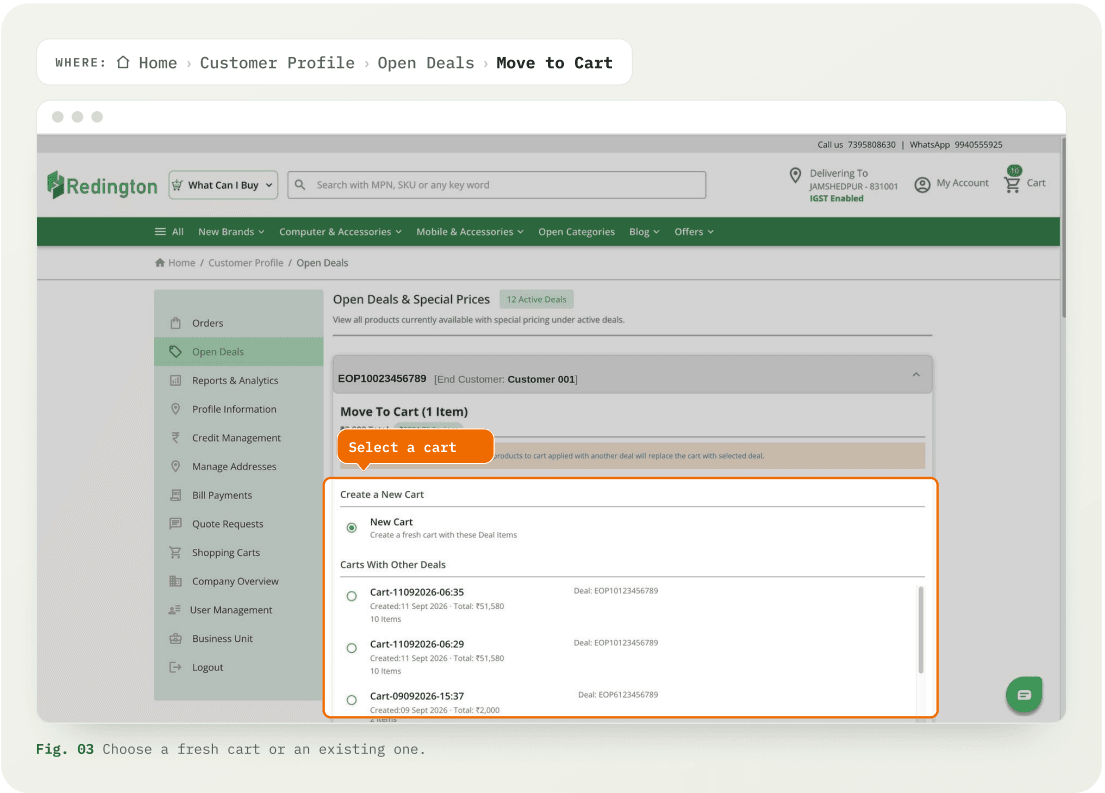
Know the code? Apply it yourself
If a vendor or business manager has given you a deal number directly, Add products to the cart and apply the deal code in the available deals section before checking out the order.